
Pick what gets locked
Select the distracting apps you want behind a study gate. Those selections stay on your device through Apple's Family Controls.
LearnLocker blocks the apps you choose until you finish the study gate you picked.
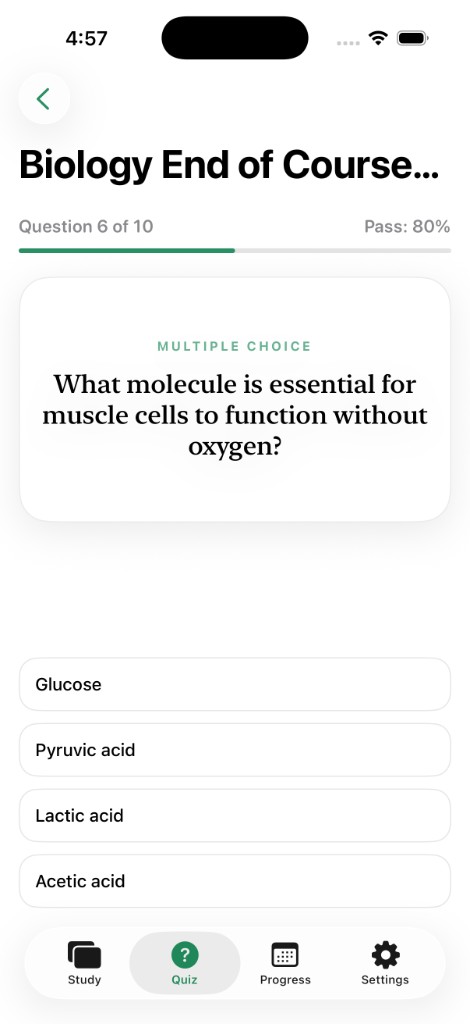
Spaced-repetition flashcards and AI quizzes from your notes. Pick one mode as your unlock gate.
How it works
LearnLocker uses Apple's Screen Time frameworks on your device. You choose the apps to shield, then choose the one study mode that unlocks them, and when they lock again.
Select the distracting apps you want behind a study gate. Those selections stay on your device through Apple's Family Controls.
Choose Flashcards or Quiz in Settings. You can study both, but only the selected gate opens your apps.
Clear the flashcard queue or pass the quiz, depending on your gate. Apps stay open until reviews pile up or your quiz window ends, then they lock again.
Two modes
Import decks for spaced repetition, or upload notes for generated quizzes. Choose one mode as the unlock gate. Apps re-lock when reviews pile up or your quiz window ends.
Import Anki decks or spreadsheets. Reviews stay on device. Clear due reviews to unlock when Flashcards is your gate; apps re-lock when the pile grows.
Upload a PDF (50 pages max), Word document, or photo. LearnLocker extracts the notes, generates questions, scores your answers, and unlocks for a set window when Quiz is your gate.
Privacy
LearnLocker uses an anonymous device ID. Flashcards and Screen Time choices stay on your phone. Quiz uploads go only to the providers needed to generate questions.
A random device ID is the only identity our servers know. No name, email, or Apple ID.
App shielding runs through Apple's Screen Time APIs. We cannot read your app usage.
Use Delete Account Data in Settings, or email support with your Device ID. Server data is removed; App Store billing is separate.
Flashcards and quizzes behind one unlock gate for the apps you choose.